How to Turn Product Photos Into Videos With AI
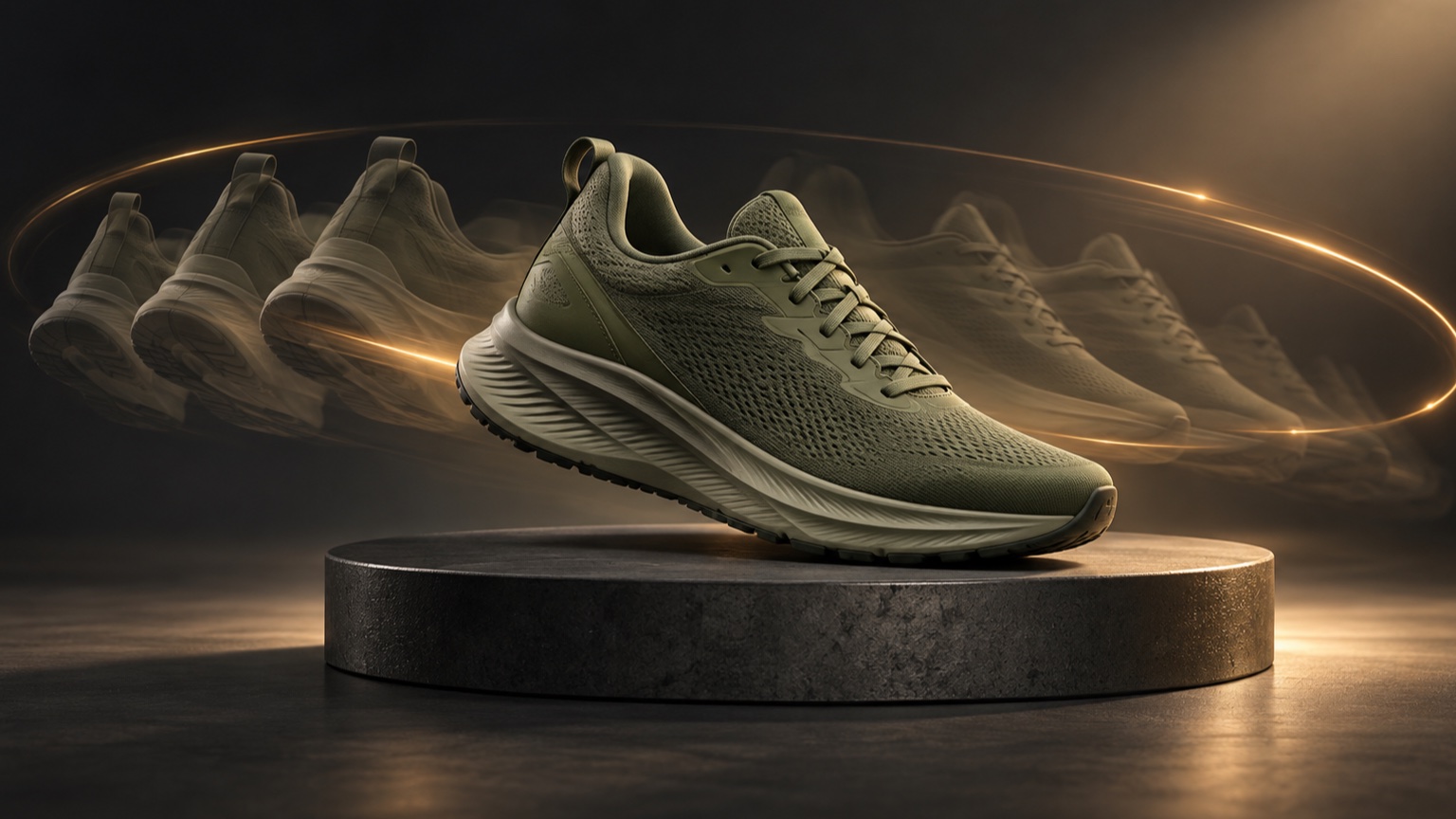
One strong product photo can become a short video without a full reshoot. The practical method is to begin with a clean source image, choose one believable motion idea, describe what should move and what must remain unchanged, then review the result for product accuracy before using it in a campaign.
This workflow is useful for product pages, social posts, launch teasers, marketplace creative, and concept testing. It does not replace careful product photography, and an AI video should not be treated as an exact simulation of how a product works. Its value is speed: a still asset can gain camera movement, light, atmosphere, or subtle environmental motion while the product remains the visual anchor.
If you are new to the format, start with the broader guide to AI image to video generation. The steps below focus specifically on product imagery, where shape, color, packaging, and readable details matter more than dramatic motion.
Decide Where the Video Will Be Used
Choose the placement before you animate the image. A vertical social story, a square marketplace post, and a wide website banner need different framing. Making that decision first helps you choose a source photo with enough space around the product and prevents an important detail from being cropped later.
Write down three constraints before you begin:
- Placement: product page, paid social concept, organic post, email, or presentation.
- Frame: vertical, square, portrait, or landscape.
- Single purpose: reveal the product, show its material, create atmosphere, or draw attention to one feature.
Keep the first version simple. A five second clip with one clear visual purpose is easier to control than a scene that tries to rotate the product, change the background, add particles, move the camera, and reveal text at the same time.
Start With a Product Photo That Leaves Room for Motion
The source image determines how much the model must invent. Use a sharp image in which the complete product is visible, the silhouette is easy to separate from the background, and important details are not hidden by props. The product should occupy enough of the frame to remain recognizable without touching every edge.
Leave breathing room in the direction of the intended movement. A slow push in needs space around the subject for reframing. A lateral camera move benefits from background detail on both sides. For a vertical output, begin with a composition that can survive a tall crop rather than forcing a wide hero image into a narrow frame.
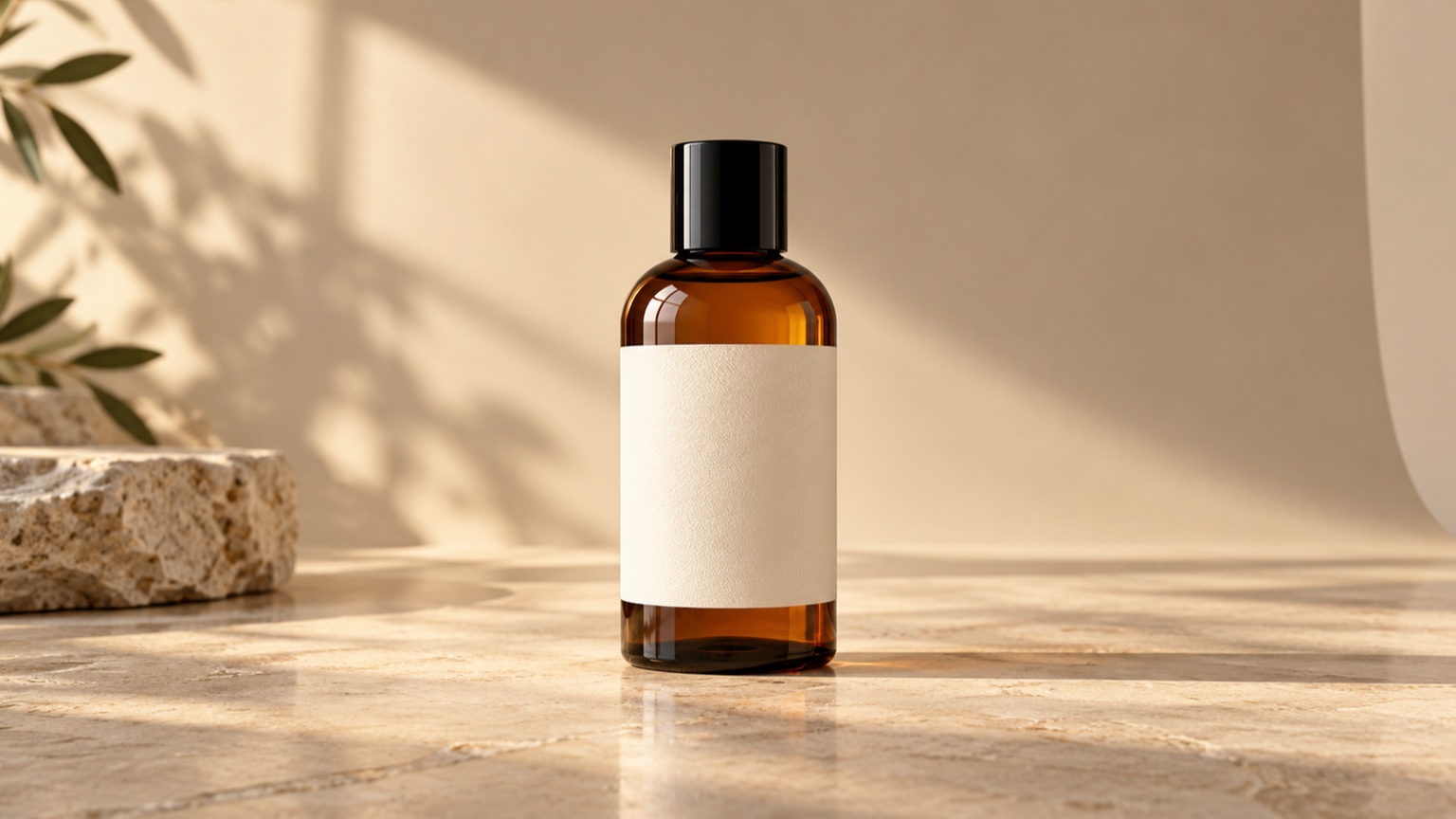
Packaging deserves extra care. Small type, logos, repeating patterns, transparent materials, and mirror-like surfaces are easy to reinterpret. Verify critical label or legal copy against the original still. If text must remain exact, composite it after generation instead of asking the model to recreate it through motion.
Choose One Product Safe Motion Idea
The most dependable concepts let the product stay structurally stable while the camera, light, or environment provides movement. Start with one of these approaches:
| Motion idea | What moves | Best suited to |
|---|---|---|
| Slow push in | The camera moves gently toward the product | Packaging, footwear, accessories, hero shots |
| Subtle orbit | The camera shifts slightly around a stable subject | Products with a clear three dimensional form |
| Light sweep | Highlights travel across the surface | Metal, glass, watches, cosmetics |
| Background drift | Shadows, fabric, steam, or particles move behind the product | Lifestyle and atmospheric creative |
| Focus transition | Attention shifts from a foreground detail to the product | Detail led reveals and premium compositions |
Avoid asking for a complete spin when the source photo shows only one side. The unseen back and side must be invented, so packaging geometry, soles, clasps, ports, and labels may change. If a full rotation is essential, use real multiview product assets or a controlled 3D workflow.
Natural motion is usually restrained. Ask for a slow camera move rather than a fast sweep. Let reflections slide across a bottle rather than changing the bottle itself. The product should remain the fixed reference point.
Write a Prompt That Protects Product Identity
A useful product prompt separates four things: the subject, the motion, the camera, and the constraints. Put the product first, describe one primary action, state the pace and framing, then say what must stay consistent.
Use this reusable pattern:
Keep the [product, color, material, and position] unchanged. [One camera or environmental motion] happens slowly. [Lighting and atmosphere]. Maintain the original shape, proportions, colors, label placement, and background style. No new objects, no deformation, no text changes, and no sudden camera movement.
Here are two examples you can adapt.
Running shoe
Keep the olive running shoe centered on the pedestal. The camera makes a slow push in while a soft highlight travels across the mesh and sole. Maintain the exact silhouette, laces, material texture, colors, and proportions. No foot, no new branding, no rotation, and no shape changes.
Skincare bottle
Keep the amber glass bottle upright and unchanged. Warm window shadows drift slowly across the background while the camera remains steady. Preserve the bottle geometry, cap, label position, glass color, reflections, and surface. No added text, no liquid movement, and no new props.
Notice that each prompt says more about restraint than spectacle. Product video prompts work best when they reduce ambiguity. If you want a deeper explanation of subject, motion, camera, environment, and constraints, use the Image to Video prompt guide.
Generate a Controlled First Version
Upload the chosen still to Vidou's advanced Image to Video workspace. Choose the aspect ratio that matches the planned placement, select an available resolution, decide whether the clip needs audio, and paste the prompt. The workspace currently offers 9:16, 4:3, 3:4, 1:1, and 16:9 formats, 480p, 720p, and 1080p output options, and a five second duration. It also shows the credit requirement before generation and keeps creations available in a signed in account.
Treat the first result as a controlled draft. Change only one variable per revision. If the product bends, strengthen the identity constraints. If the scene feels static, add one subtle camera or lighting action. If motion becomes chaotic, remove secondary effects rather than stacking more instructions onto the prompt.
Review the Entire Clip, Not Just the First Frame
Watch the video several times and pause at the beginning, middle, and end. A result can look convincing at first and still drift near the final frames. Review it against the original product photo, not from memory.
Check the following:
- Silhouette: Does the outer shape remain stable throughout the clip?
- Color and material: Do the finish, transparency, texture, and reflections stay believable?
- Packaging: Do the cap, seams, edges, logo area, and label placement remain consistent?
- Text: Has any visible copy changed, blurred, or turned into different characters?
- Motion: Does the camera move smoothly without sudden speed or direction changes?
- Background: Do shadows and props remain coherent without appearing or disappearing?
- Crop: Is the full product visible in the final placement, including interface safe areas?
- Claims: Could the motion imply a feature, effect, ingredient behavior, or performance the product does not actually have?
Reject a clip if it misrepresents a material detail or product function, even when the overall motion looks attractive. For commercial use, accuracy is part of creative quality. Keep the original still available wherever a customer needs to inspect precise details.
Fix Common Product Video Problems
The packaging changes shape
Reduce camera movement and explicitly preserve the product's geometry, proportions, cap, edges, and label position. A slow push in is usually safer than an orbit when the packaging has strong straight lines.
The label becomes unreadable
Use a cleaner source with a larger label area and ask the model to keep the label placement unchanged. Do not rely on generated frames for mandatory copy. Add exact typography in post production when perfect readability is required.
Reflections flicker on glass or metal
Simplify the lighting instruction. Request one soft, controlled light sweep and a stable camera. Multiple moving lights create competing changes and can make the surface appear to reshape.
Build Variations Without Losing Consistency
Once one version passes review, create variations by changing a single production choice: aspect ratio, camera direction, lighting mood, or background motion. Keep the source photo and identity constraints constant. This produces a coherent family of assets while making differences easy to evaluate.
For example, a wide version might use a slow lateral move for a website banner, while a vertical version uses a gentle push in with more space above and below the product. Both can share the same color, material, label, and geometry constraints. Do not assume one crop will work everywhere; review each format in its actual placement.
A Practical Product Photo to Video Checklist
Before generation:
- Confirm the placement and aspect ratio.
- Choose a sharp source with a clear, complete product.
- Leave room around the subject for the planned movement.
- Pick one product safe motion idea.
- Write explicit identity and text constraints.
Before publishing:
- Compare the beginning, middle, and end with the source photo.
- Verify shape, color, material, label placement, and visible text.
- Check the crop inside the real destination layout.
- Remove any motion that suggests an unsupported product claim.
- Keep the original still and approved generation details with the asset.
Frequently Asked Questions
What product photos work best for AI video?
Use a sharp, well lit photo with a complete product, a clean silhouette, and space around the subject. Simple backgrounds and stable lighting give the model fewer details to reinterpret. Highly reflective surfaces, tiny text, and overlapping props require closer review.
Can AI keep a product label perfectly readable?
It may preserve the general label area, but small text can change between frames. If wording must be exact, add it during post production or use the original still for close inspection. Always review generated frames against the source image.
Which motion is safest for a single product photo?
A slow push in, restrained light sweep, or gentle background movement is usually safer than a full rotation. These choices create motion without requiring the model to invent unseen sides of the product.
Can I use the result in an advertisement?
You can evaluate it for your campaign, but approval depends on your rights to the source image, brand rules, advertising requirements, and the accuracy of the generated result. Review every frame and do not publish a clip that changes the product or implies unsupported performance.
Turn One Strong Product Photo Into a Focused Video
The most effective workflow is controlled rather than complicated: choose the destination, prepare a clean source, use one believable motion, protect product identity in the prompt, and inspect the full clip before publishing. Once that foundation works, create channel specific variations one change at a time.
Turn Your Product Photo Into a Video
Editorial note: The illustrative images in this article were created with AI for editorial explanation. They are not customer assets, product test results, or examples generated by Vidou.