10 Image-to-Video AI Tools Worth Trying in 2026
I spent a few months bouncing between paid plans, free tiers, and open-source models. Here are the ten image-to-video tools that actually stuck — and what each one is good at.
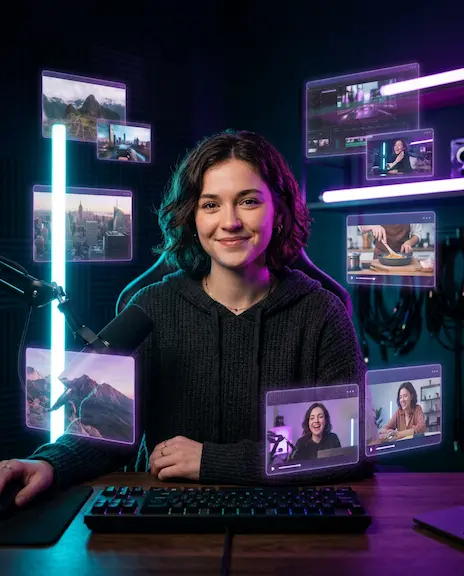
There are probably forty image-to-video tools shipping right now, and most of them feel almost identical until you actually push them past a single five-second clip. Over the last few months I've bounced between paid plans, free tiers, and a couple of open-source models I had no real business trying to run on my own laptop. Below is the shortlist that survived.
A quick note on what this is not: it's not a benchmark, and it's not a ranking. Benchmarks for AI video are nearly useless — the same model can flatten one shot and absolutely nail the next one, depending on how the source image is framed. What you actually want is a feel for what each tool is good at, and where it tends to fall apart. That's what I tried to put together here.
1. Runway
Runway is still the one I open first when a clip needs to look like it cost money. The Gen-4 image-to-video model handles complex motion — water, hair, fabric, smoke — about as well as anything publicly available, and the editor wrapped around it is genuinely useful instead of just a thin shell. You get keyframe control, camera moves, and reference images that actually behave like references rather than vague suggestions.
The catch is price. Push it hard and the credits go fast, and the free tier is more of a teaser than a working budget. But for any client work where I need predictable output and the option to revise specific shots, this is still the safe pick.
2. Google Veo 3
Veo 3 is the one I underestimated for most of last year. The selling points are 4K output and synchronized native audio, which both sound a little gimmicky on a feature list — until you actually watch a clip with native ambient sound and realize how much of the 'AI video' uncanny feeling comes from awkward silence. Motion is steady, characters mostly hold their shape, and prompt understanding might be the best of the bunch right now.
Access is the friction point. You're going through Google's AI Studio or Flow, the credit system is a little opaque, and consumer tiers seem to come and go without much warning. Worth the friction when you need a hero shot.
3. Kling
Kling is what I reach for when I need a person to stay looking like a person across a longer clip. Their character consistency, particularly with the Kling 3 model, is uncomfortably good — faces hold up over ten-plus seconds where most competitors start melting around the five-second mark. It's also one of the few tools willing to do clips longer than the standard window without obvious stitching artifacts.
The web app can feel a little clunky if you're not used to it, but the English version is fine to navigate. Free credits refresh often enough that you can realistically use it as a daily tool without paying right away.
4. Pika
Pika has quietly gone in a totally different direction from the photoreal crowd, and I think they're better for it. Their Pikaffects library — crush, melt, inflate, dissolve, explode, and the rest — is absurd in the best possible way, and it's exactly the kind of thing that lands on TikTok or Reels without anyone needing to ask what AI is. If you're a creator making short-form content, the laughs-per-credit ratio is hard to beat.
For straight cinematic motion it's not my first pick. For weird, funny, scroll-stopping clips, it's basically uncontested.
5. Luma Dream Machine
Luma's strength is speed and ease. You upload an image, hit generate, and a five-second clip usually comes out within a minute that you don't need to throw away. The newer Ray3 model added more cinematic polish and decent camera control, and the iOS app makes mobile creation actually viable rather than theoretical — I've used it on the subway more than once.
Where it struggles is anything that requires long, complex motion or precise character behavior. Short, atmospheric, slightly dreamlike — exactly what the name suggests — is where it shines.
6. Hailuo (MiniMax)
Hailuo is the MiniMax video model, and it's the tool I recommend to anyone who hasn't paid for an AI tool yet and wants to try the category before committing. The free tier is genuinely generous, generations are fast, and the motion quality punches well above its price tag. Micro-expressions on faces are particularly clean, which matters more than you'd expect for any clip with a person in it.
The interface keeps improving but still occasionally feels like an early-access build. Worth putting up with.
7. Seedance (ByteDance)
Seedance 2.0 is ByteDance's contribution to this space, and it shows up most often via aggregators like Higgsfield, fal, and Freepik rather than as a standalone consumer app in most markets. Its standout capability is multi-shot generation — you can feed it up to nine reference images and have it string them into a coherent sequence — which is the most useful new feature of the past year for anyone trying to tell a small story rather than make one isolated clip.
For one-off motion shots it's overkill. For anything with continuity, it's hard to beat.
8. Hunyuan Video (Tencent)
Hunyuan is open source, which is its whole personality. You can run it locally if you have a serious GPU, fine-tune it for a specific look, and bake it into your own pipelines without anyone's permission. The image-to-video extension and the 1.5 release have made it competitive on quality, not just on access.
For most people it's the wrong choice — way too much setup for casual use. For developers and small studios building custom workflows, it's where I'd start looking.
9. Wan (Alibaba)
Wan is the other serious open-source contender, and honestly, for general image-to-video work in 2026 I'd reach for it before Hunyuan. The 2.x line runs reasonably well on consumer hardware, supports prompt-based motion control, and has a busy community pushing LoRAs and tooling around it. If you've ever used Stable Diffusion's ecosystem and missed having that kind of community around video, this is the closest thing.
If 'self-hosted' and 'free forever' rank higher than 'easy out of the box', start here.
10. Higgsfield
Higgsfield is interesting because it's not really one model. It's a hub that wraps Veo, Kling, Wan, Seedance, Sora, and a few others into a single workspace with its own cinematography controls layered on top. The DoP (Director of Photography) presets actually understand camera language — dolly, push-in, orbit, rack focus — so if you've ever tried to prompt 'cinematic camera movement' and gotten random tilts, you'll appreciate this.
Pricing is bundled and not the cheapest, but if you're constantly switching between models, the time you save by not opening four different web apps adds up quickly.
So what should you actually pick?
There isn't a single best tool here, and anyone telling you otherwise is selling you something. My honest advice: pick two from this list — one for cinematic, polished work, and one for fast iteration — and you'll cover most use cases without paying for five subscriptions you barely touch. Runway plus Hailuo is a solid pairing if you want one of each. Kling plus Pika if you live in short-form social.
And if you're brand new to all of this, don't overthink it. Open whichever has a working free tier today, upload a clean source image, and start prompting. Most of the actual skill in image-to-video lives in the prompting and the source image, not in the tool. The tools converge faster than most articles like this admit.
If you'd rather not go shopping at all, the image-to-video tool on the page you're already reading this on (Vidou) is built around the same idea as the free tiers above: generous free generations, no learning curve, and no surprise paywall halfway through a clip. It's a reasonable place to start before you decide whether any of the bigger platforms are worth a paid plan.
Ready to Create Your Own AI Videos?
Try our free AI image to video generator now and bring your images to life with stunning motion effects.